
Magentrix AI
Use AI across your partner operations in your PRM & partner portal
Four ways to use AI with Magentrix
Magentrix supports AI at every level — from no-code agent automation to agentic engineering. Here is what is available today and what is coming next.
Native AI agent - internal MCP
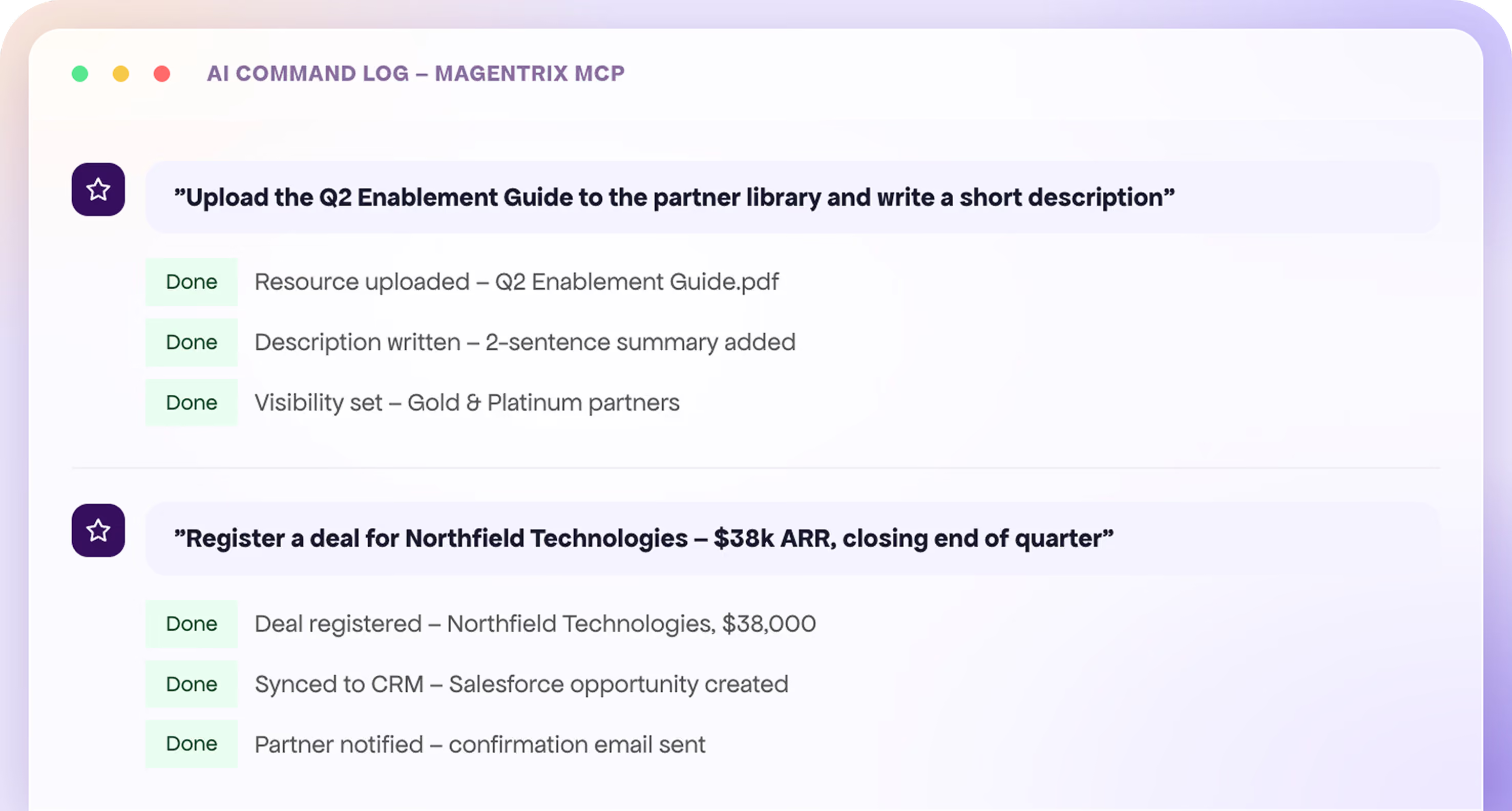
Magentrix includes a built-in AI agent powered by our internal MCP server. The agent can perform portal tasks on your behalf — reading data, updating records, and running workflows — directly inside the platform. No external tools or setup required.
MCP Connector - external MCP
Any MCP-compatible AI assistant can connect to Magentrix directly. Authorization is handled via OAuth, and your existing security roles determine exactly what the AI can access.
Agentic engineering with Claude + Magentrix CLI
Claude can write code and push it directly into the Magentrix platform using the CLI. Partner ops teams can describe a customization in plain language and Claude handles the implementation — drafting, testing, and deploying to the portal. Customizations that used to take days of back-and-forth with a developer can now ship the same day.
Agent Skills
Magentrix publishes a skills definition for its REST API that any compatible AI assistant can load to understand how to take action inside your portal. AI assistants that support custom tool definitions — including Claude, OpenAI, and others — can immediately read data, update records, and run workflows on your behalf. No MCP connector required.
Tasks you can automate today
The Wizard Agent acts on behalf of your users — creating records, running reports, and answering questions — all within their existing permissions.
Update Records
Create and update partner records and deal stages on your behalf, within your existing portal permissions.
Gain Insights
Request any information from partner accounts, deals, registrations, and partner performance in plain language.
Spot Expiring Deals
Surface deals whose exclusivity is nearing its end so the team can act before they slip away.
Review Deal Inbox
Pull up referred, accepted, and rejected deals in one place — no manual navigation required.
Check Partner Tiers
Retrieve any partner's tier status, benefits, and full program structure on request.
Check My Tier
Partners can ask about their own current tier status and exactly which benefits they've unlocked.
Plan My Growth
Get the program structure and requirements to understand how to reach the next tier — answered in chat.
Get Referral Link
Partners can retrieve their personal referral and tracking links instantly without logging into the portal UI.
Register Deals
Open the deal-registration form and surface everything required to submit — guided by the Wizard in conversation.
Track My Deals
Partners can look up their own deals and check exactly where each one stands in the pipeline.
Build Reports & Dashboards
Build reports and dashboards tailored to your needs — the Wizard constructs and configures them on request.
Design & Manage Tiering Programs
Design, create, or update Partner Tiering programs directly through conversation.
Enroll Partners in Tiering Programs
Enroll partners into your existing tiering programs without navigating the admin UI.
Update System Translations
Update the portal's system-level translations by describing the changes you need.
Modify System Schema
Add or update fields in the system's schema — the Wizard handles the configuration on your behalf.
Create or Edit Automation Workflows
Create or edit automation workflows by describing the trigger and action logic in plain language.
Connect 3rd-Party Services
Hook up additional MCP server connectors to expand what the Wizard can do inside your portal.
Enroll Their Team
Enroll members of your team in specific courses in bulk — the Wizard handles all the enrollments at once.
Manage Learning
Partners can self-enroll in relevant training by telling the Wizard which courses to assign to themselves.
View Team Progress
See how your team is doing on assigned courses — the Wizard returns each member's status right in the conversation.
Resume Onboarding
Ask "where am I in my onboarding?" and the Wizard tells you exactly what's done and what's next in your journey.
Track Training
Ask about your own course assignments and progress — the Wizard answers in the chat without switching screens.
View Team Roster
Pull your full team list with each member's training status to quickly see who still needs a nudge.
Review Tier Program
Ask about the Partner Tiering Program requirements and benefits — the Wizard explains where you stand on the path to the next tier.
Create Course Content & Quizzes
Design and create course content or quizzes for partners or internal employees — described in chat, built by the Wizard.
Plan & Create Partner Journeys
Plan, design, and create onboarding or engagement journeys for your partners through conversation.
Get Course Recommendations
Ask the Wizard to recommend courses based on available content and the partner's current role or tier.
Respond to Tickets
Leave a comment or reply on a support ticket on your behalf — the Wizard posts it under the signed-in user's account.
Review Support Tickets
Look up any partner support ticket and get its current status, full history, and details explained in plain language.
Read & Review Comments
Pull up existing comments on a ticket to get the full conversation context before responding.
Enterprise-grade security, built in
Authentication & Sessions
Role-Based Access Control
Administrative Governance
Input Sanitization
Data Protection
Monitoring & Containment
AI Security & Guardrails FAQs
No. Every action the Wizard takes runs under the signed-in user's existing permissions. If a user doesn't have access to a record, field, or object in Magentrix, the AI cannot access it either.
Sometimes — it depends on the user's own permissions. If a user has the ability to undo an action themselves (e.g., editing a field value back), they can do the same after an AI action.
Currently, no. The user's existing permissions take care of this for the most part. Admins can manage which users have access to the AI features at all.
Not yet, but this capability is planned for release in September 2026.
It depends, but the majority of the time it will ask for clarification rather than acting immediately. For potentially destructive actions, it always confirms first.
We have a multi-layered input defense. Magentrix automatically sanitizes all user inputs, stripping out malicious scripts or hidden commands before they reach the AI — so attempts to manipulate the model through crafted inputs are blocked at the platform layer.
No. Unauthenticated and guest access is completely blocked. Every single interaction requires an active, encrypted, and time-bound session token linked to a verified user.
Yes — instantly, with a toggle on the admin dashboard.