
Pay partners the cash
they've earned
Partner Payouts turns earned cash rewards into real money in your partners' accounts – profile onboarding, tax collection, approvals, and Stripe or PayPal payments, all handled from the partner portal.
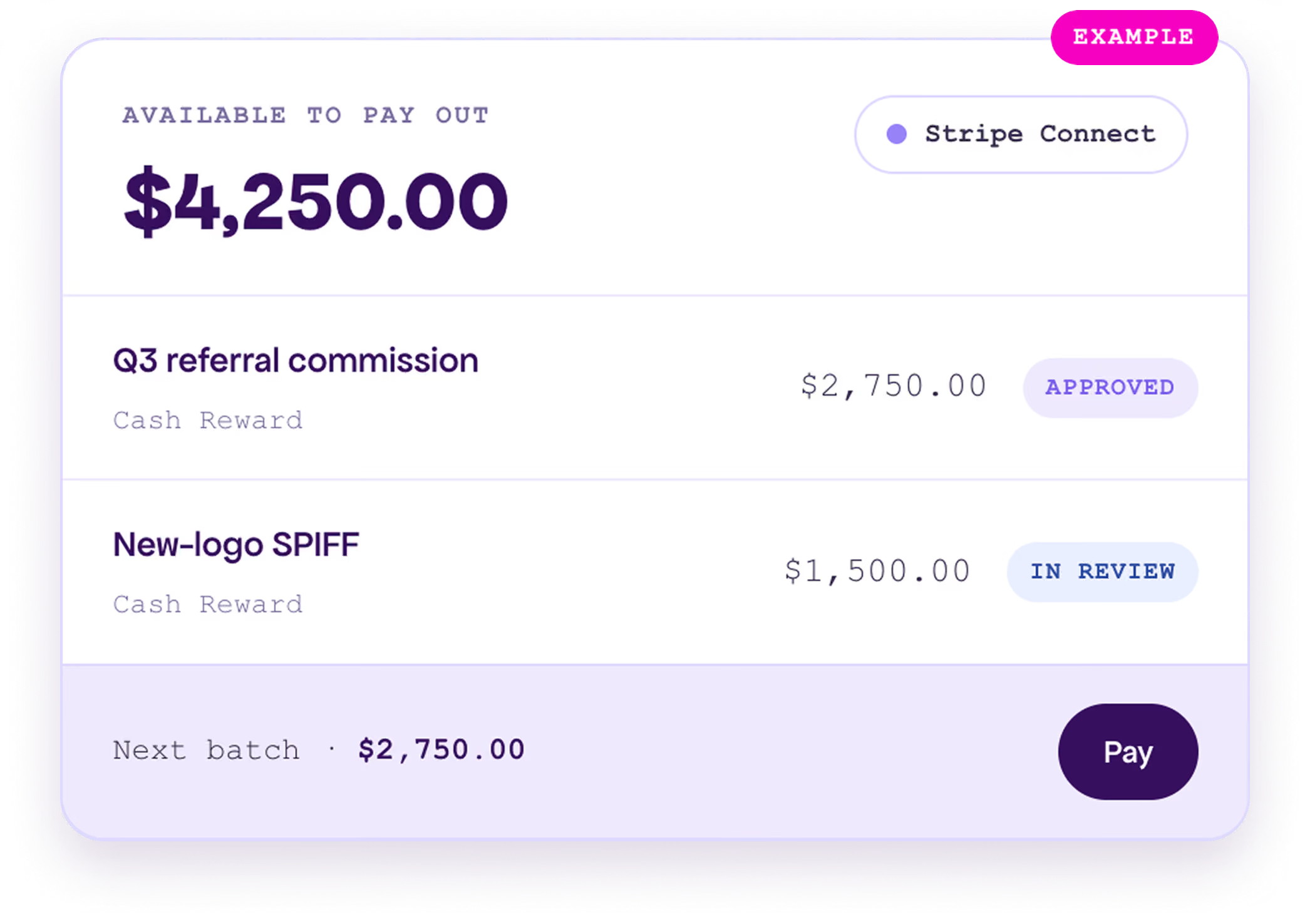
From earned reward to money in the bank
Partners earn cash through your Reward Programs. Partner Payouts handles everything from there – review, approve, batch, and send – with every transaction tracked to completion.
Partners earn
You approve
Batch & pay
Auto-settle
You set the guardrails on every payout
Partners connect a payout profile and choose how they get paid. You decide the financial policy, who has access, and what gets collected – all from the Payout Setting page.
Payout profiles
Partners onboard through Stripe Connect or PayPal and pick their preferred payment method – no finance tickets required.
US tax tracking
Collect tax details during onboarding and accumulate partner earnings for 1099-style reporting when it's enabled.
Earning thresholds
Set an optional minimum balance a partner must reach before they become payable, so you batch efficiently.
Transaction fees
Choose whether partners absorb vendor processing fees or your program covers them, with one policy toggle.
Role-based access
Enable payout setup and claim submission per partner security role, so only the right partners can request payment.
Notifications
Alert partner account owners and your finance or compliance team, using customizable email templates.
Every payout runs through your review
Nothing pays out automatically. Rewards earn their way to eligible, you approve them in Review Claims, and payments send as a clean, per-partner batch you stay in control of.
%201.avif)
Connect a processor.
We handle the rest.
Partner Payouts pays through the processors partners already trust. Add a connected app with live credentials, and the platform registers the webhooks that keep every transaction status current.

Stripe Connect

PayPal Payouts
Real-time webhooks
Vendor events flow straight into the Payout Dashboard, so created, paid and failed states update without manual checks.
Rolls up to your CRM
Payout profiles and transactions link to the partner Account, so cash paid rolls up by partner in Salesforce or Dynamics.
Payouts is the cash arm of a bigger reward engine
Partners earn once – through deal registrations, training, and revenue – and that earned balance can be fulfilled three ways. Pair it with performance-based program tiers so your strongest partners earn the most.
Cash payouts
Gift cards
Merchandise
Ask about payouts – and act on them.
Payout data is available to the Magentrix Wizard Agent. Partners self-serve questions about their earnings and payout status, and – because the Wizard works within each user's security role – admins can go further and update records right from the conversation.
%201.avif)
Partner Payouts, answered.
Each partner onboards a payout profile and chooses Stripe Connect or PayPal. When you approve their cash rewards, the balance is sent as a single payment per partner through their chosen processor.
Anything you model as a Cash Reward Program – referral commissions, sales SPIFFs, deal bonuses, and MDF cash reimbursement. Non-cash rewards can instead convert to gift cards or store merchandise.
Yes. Nothing pays out automatically. Rewards move to eligible, you approve them in Review Claims, then batch and send. You can delete an unpaid payout at any point to return its rewards to the eligible pool.
With US tax tracking enabled, partners provide tax details at onboarding and earnings accumulate for 1099-style reporting. A single setting decides whether partners absorb vendor transaction fees or your program covers them.
Partner Payouts is the cash arm of the Rewards & Redemption family and needs at least one Cash Reward Program. Payout profiles and transactions link to the partner Account, so cash paid rolls up by partner in Salesforce or Dynamics.